-
Making item-based webhook events work on Sitecore 10.3
A great new feature on Sitecore XM Cloud and also XM/XP 10.3+ is the possibility to set up Webhooks for a variety of events eg. item_saved, item_created etc. There is a limitation though if you’re on Platform DXP (10.3+): Let’s say we set up a webhook which informs the product owner whenever an author modifies…
-
Don‘t cache renderings containing placeholders
Sitecore‘s „HTML Cache“ feature on renderings has been a great tool since the early days of Sitecore. While in the world of headless, we‘re actually caching JSON instead of HTML, the functionality of this cache remains the same: There are caching variants and more but I won‘t go deeper into this topic as it has…
-
“Could not resolve host: nodejs.org” when setting up XM Cloud locally
I’ve recently ran into this issue when setting up a XM Cloud development environment locally: This happens when the docker container cannot resolve DNS due to a network issue. To test connectivity from inside a container, run: Possible solutions There are different reasons why Docker might not be able to resolve DNS: A) Windows Firewall…
-
Customizing Headless Proxy Output Caching
When building a site on Sitecore Headless / JSS you’ll eventually end up hosting it on a Headless Proxy Node instance. The Headles Proxy will perform server-side rendering of the page HTML for initial requests i.E. when you hit F5 (browser refresh). Subsequent requests are then usually rendered in the browser. So far so good.…
-
Display CMS usage on ContentHub’s asset details page
In the previous post, we have set up an index with computed field allowing us to query Sitecore items by referenced assetId. We can now use this to build a nice widget on Contenthub’s asset details page:
-
Keeping track of ContentHub assets used in Sitecore XM
ContentHub integrates nicely with Sitecore XM through Sitecore Connect for ContentHub. Probably the most popular use case is referencing assets stored in ContentHub’s DAM instead of using classic Media Items. This is integrated nicely through an extension of the image field:
-
Enabling search by asset ID in ContentHub
In some cases, authors might want to search ContentHub for a DAM asset by its ID. Out of the box, this is not possible via the search GUI but it can be enabled with a trick: Add field to M.Asset’s Schema The field doesn’t need to be displayed on any pages as it will be…
-
Make Long Running Scheduled Agents Async
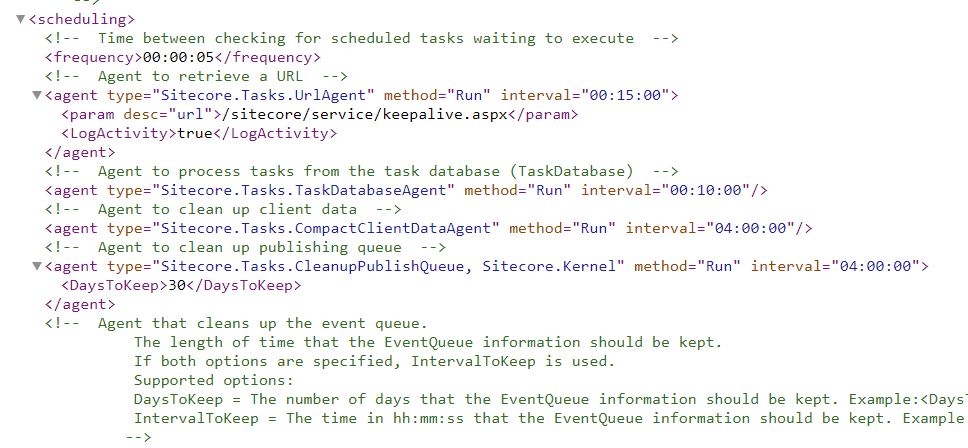
Sitecore’s Scheduled Agents and Tasks have been around forever and are well-known members of the XM suite. Less known is a gotcha you might run into when implementing long running operations (i.E. background import/export, bulk updates,…)
-
Video Series: A Campaign from A to Z #4: Analytics and custom segments

In this episode, we’ll look at the built-in features that Experience Analytics has to offer and how we can now gain insights thanks to our campaign setup. Additionally we’ll look into custom segments – a feature new to Sitecore 10 allowing to set up custom filters for Experience Analytics reports.
-
Video Series: A Campaign from A to Z #3: A/B Testing
The third episode of this series will take a closer look at A/B testing. We’ll first use a test to determine the best text and call-to-action variant and then we’ll send an Email Campaign using A/B testing to determine the best variant.